Repository navigation
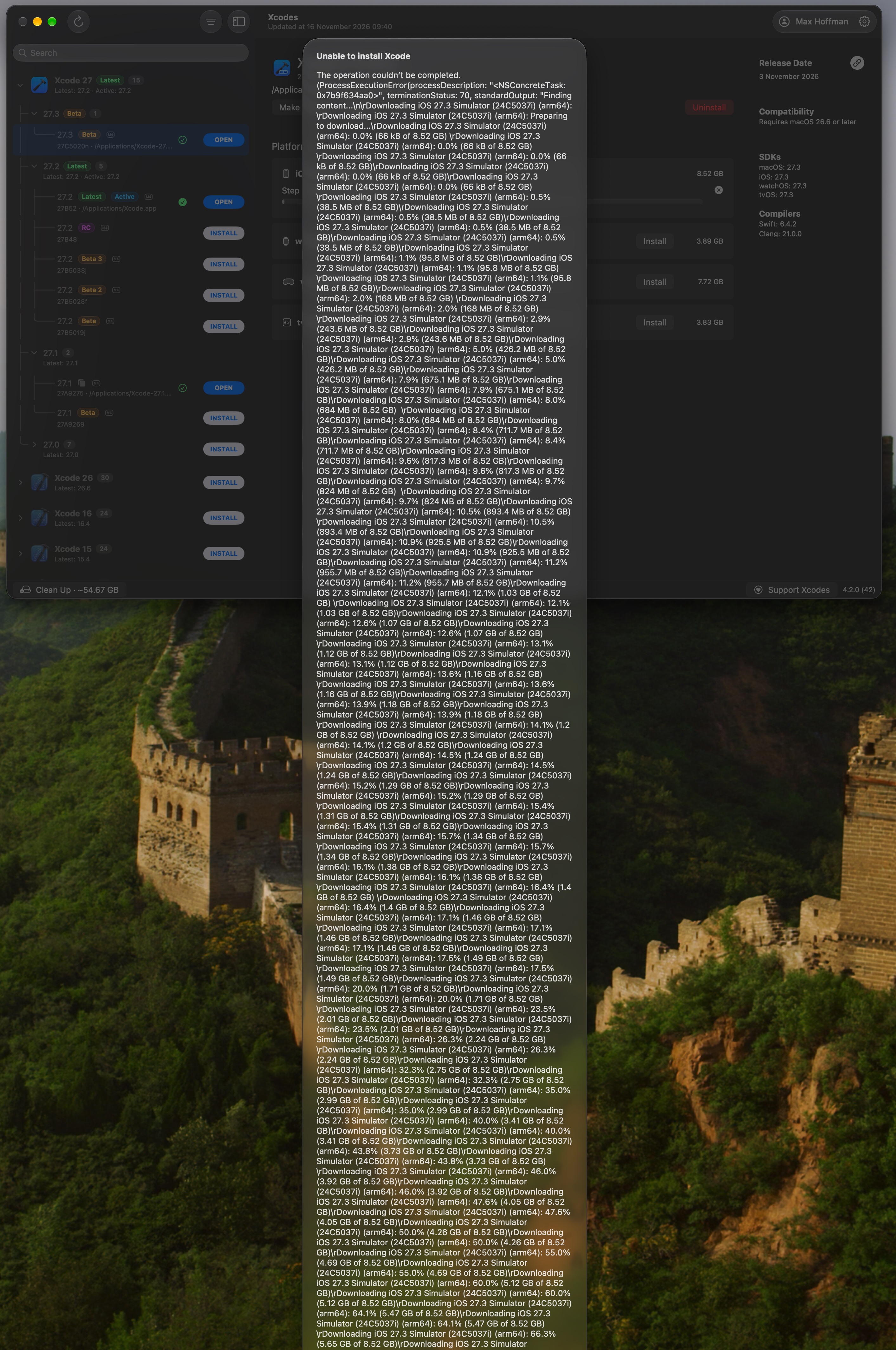
Simulator runtime failure shows a misleading alert that extends off-screen #894
Description

Description
On Xcodes 4.2.0 (42), installing the iOS 27.3 beta Simulator runtime failed with exit code 70. Xcode 27.3 beta was already installed. The alert said “Unable to install Xcode” and included the entire command output, including repeated download progress. The alert extended below the display and its dismiss button was unreachable.
Reproduction
- In the info pane for an installed Xcode, install a simulator runtime.
- If the command fails after emitting a long progress log, inspect the resulting alert.
Expected behavior
Name the simulator runtime that failed, show the useful diagnostic in a compact alert with a reachable OK button, and make longer details copyable. The screenshot does not show the command’s final error, so the cause of the underlying exit-70 failure is unknown.
Follow-up
The raw-output presentation was also reproduced on Xcodes 4.2.0 (42) by deliberately terminating a watchOS 27.3 beta runtime download. The alert showed “Unable to install Xcode” and the accumulated download transcript. That controlled test surfaced termination status 15. The cause of the original iOS exit-70 failure remains unknown.
PR #897 updates the error title and bounds the alert. In a subsequent live reinstall with the patched test build, both iOS and watchOS 27.3 beta showed real download progress and cleared their progress indicators on completion. CoreSimulator reported both runtimes as Ready.
Activity