
A metal-framed, 2-axis flight-sim joystick with contactless magnetic sensors, quick-release grips and a desk mount. Every file you need to build it is in this repository.


📦 Get the complete kit · Build manual · Assembly guide (PDF)
A modular flight-sim joystick in three parts. Build it from the open files, or get the complete kit.
| Module | What it is | |
|---|---|---|
 |
Base | 2-axis gimbal built from 5 mm laser-cut stainless steel plates, ball bearings and an MJF/SLS main shaft. Cams and springs centre it, felt brakes add adjustable friction, and a moulded silicone boot covers the top. |
 |
Grip G1 / G2 | Removable handle with an illuminated push button and an analog mini-stick. It locks with a knurled ring and connects through a 4-pole jack. |
 |
Bracket | Desk-edge mount made of bent 5 mm steel plates with a toggle clamp and adjustable height. |
| ±20° | 12-bit | 5 mm steel | 0 driver |
|---|---|---|---|
| travel on each axis | contactless sensors | stainless gimbal | native USB HID |
- Wear-free precision. AS5600 magnetic sensors spread their full 12-bit resolution over the real travel of the stick.
- Built to last. Stainless steel plates, ball bearings and an MJF shaft, with cam and spring centering and adjustable felt brakes.
- Plug and fly. Connect it over USB-C and Windows sees a standard joystick. The calibration stays in the base.
- Swap grips in seconds. A quick-release jack and an open I²C protocol let you build your own grip.
- Companion app. Guided calibration, a live position view and one-click firmware updates.
| Quick assembly (Short) | Base assembly — full tutorial | Grip assembly — full tutorial |
|---|---|---|
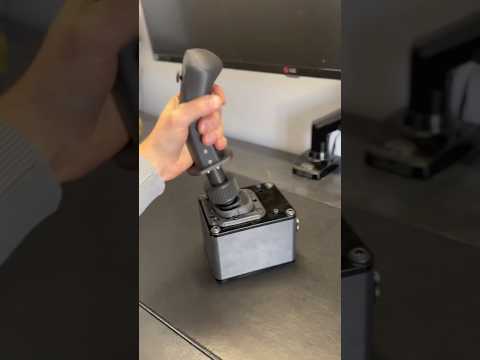 |
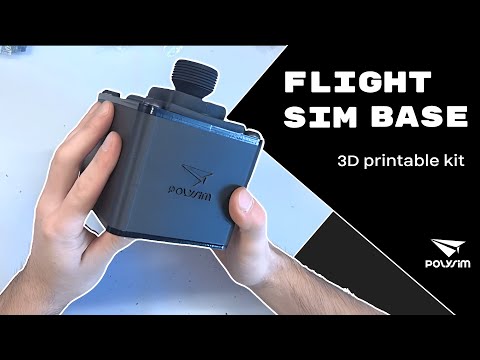 |
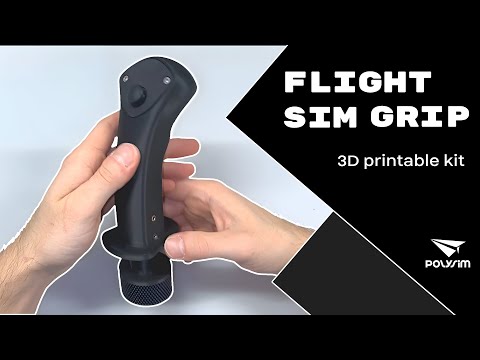 |
📦 Skip the sourcing. Print the FDM parts, then get every other component in the complete kit on polysim.fr. Just assemble and fly.
- Print and get the kit. Print the FDM parts, then get the kit to assemble your base. The files for all the non-printable parts are also in this repository (§4).
- Program. Already done with the electronics kit. Otherwise, flash the bootloader, then the firmware (§6).
- Assemble. Base, grip, then bracket (§7), with video tutorials for the base and the grip.
- Calibrate and fly (§8, §9).
Advanced DIY build. Materials cost about €155 at bulk prices, or you can get all the non-printed parts in one box with the kit.
✅ Electronics kit from polysim.fr? The base and grip boards ship with their firmware already flashed. Just install the configuration software and calibrate.
| Component | Version | Location |
|---|---|---|
| Configuration software (Windows x64) | 0.1 | software/installer/Polysim_0_1.exe |
| Base firmware (ATmega32U4) | 0.0.4 | software/firmware/base/ |
| Grip firmware (ATmega328P) | — | software/firmware/grip/ |
Once a base is running, the configuration software can update its firmware over USB from the Polysim update server.
 |
Polysim_Grip: CAD files for designing your own Polysim grip. |
The design files, documentation and Polysim firmware are licensed under Creative Commons BY-NC-SA 4.0. You may build, modify and share them for non-commercial purposes, with attribution, as long as you share your changes under the same license.
- Commercial use (selling assembled joysticks, kits or parts) requires prior written permission from Polysim.
- The configuration software installer is freeware under its own end-user license, which is shown during installation.
- Third-party components keep their own licenses. See THIRD_PARTY_NOTICES.md.
This is a do-it-yourself project, provided as is, without warranty of any kind. You build and use it at your own risk. Read the safety notes in the manual before you start.
Complete kits available on polysim.fr